

Many business owners ask the same question after launching a website:
“Why is my website not ranking on Google?”
The website looks fine. The homepage is live. The services are listed. A few blogs may already be published. But weeks or months pass, and the site still does not appear for important keywords. Sometimes even newly published pages are not indexed properly. Sometimes competitors with weaker-looking websites appear higher.
This is frustrating, especially when you have invested time and money into your website.
But the truth is simple: Google ranking does not happen only because a website exists. A website ranks when Google can find it, crawl it, understand it, trust it, and match it with searcher intent. If any of these steps are weak, your website may struggle to rank.
Google’s own documentation says pages must meet technical requirements, be accessible to Googlebot, and contain indexable content before they can appear in Search. It also recommends helpful, reliable, people-first content instead of content created only to manipulate rankings.
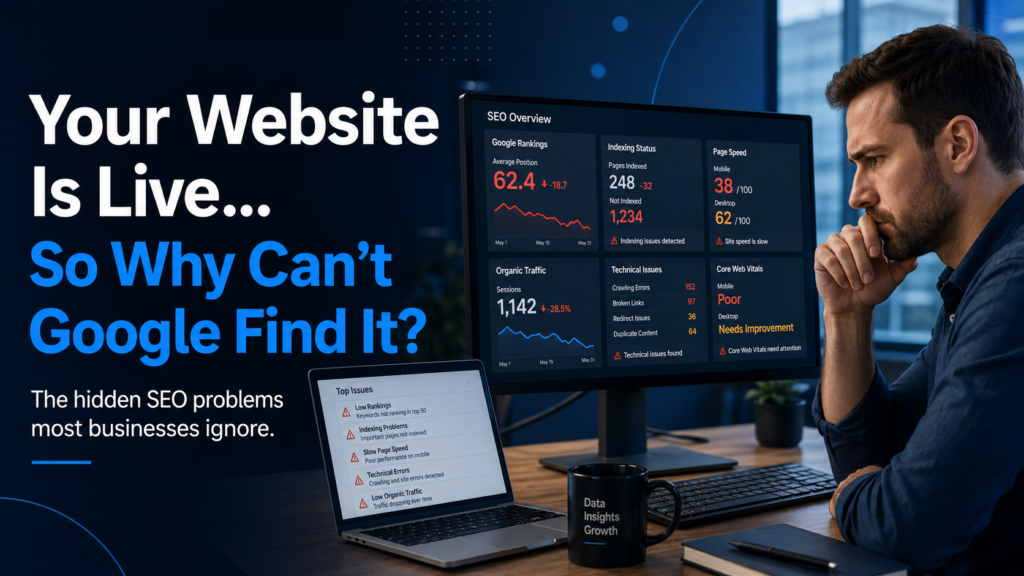
Why Is My Website Not Showing on Google?
The first problem is not always ranking. Sometimes the website is not even properly indexed.
Indexing means Google has discovered your page and added it to its search database. If a page is not indexed, it cannot rank.
Common reasons a page is not showing on Google include:
- The page is new and Google has not crawled it yet.
- The website blocks Googlebot.
- The page has a
noindextag. - The page is not included in the sitemap.
- The page has weak or duplicate content.
- The page is hidden deep inside the website.
- Google crawled the page but decided not to index it.
- The canonical tag points to another URL.
- The site has technical errors.
Google explains that once Googlebot can find and access a working page, it checks the page for indexable content. This means your page needs more than a live URL; it needs content Google can access and understand.
Quick Check
Search this on Google:
site:yourdomain.com
If very few pages appear, your website may have an indexing or crawlability issue.
Your Website Has Technical SEO Problems
Technical SEO is the foundation of ranking.
Many businesses focus on blogs, keywords, and backlinks but ignore the technical structure of the website. This is a big mistake because even strong content may struggle if Google cannot crawl, render, or understand the website properly.
Technical SEO problems include:
- Slow website speed
- Broken links
- Poor mobile experience
- Missing sitemap
- Incorrect robots.txt file
- Noindex tags on important pages
- Duplicate pages
- Wrong canonical tags
- Poor URL structure
- JavaScript rendering issues
- Missing internal links
- Server errors
- Redirect chains
- Thin category or service pages
Google’s Search Essentials highlights that pages need to be technically accessible and that links should be crawlable so Google can discover other pages on the site.
If your website is technically weak, Google may not understand which pages matter most.
Your Content Is Too Thin or Too Generic
One of the most ignored SEO problems is weak content.
Many business websites have service pages with only a few lines of text, such as:
“We provide professional SEO services. Contact us today.”
This is not enough.
Google needs enough useful information to understand the page. More importantly, users need enough information to trust the business.
Thin content usually has:
- Very short descriptions
- No real explanation
- No examples
- No FAQs
- No process details
- No pricing guidance
- No location or industry context
- No proof of expertise
- No answer to user questions
Generic content is also a problem. If your page says the same thing as hundreds of other websites, Google has no strong reason to rank it.
Google recommends creating helpful content that provides original value, shows expertise, and satisfies the visitor’s reason for coming to the page. It also warns against writing only to hit a word count or search engine target.
Better Approach
Instead of writing a basic service page, answer real questions:
- What problem does this service solve?
- Who needs this service?
- How does your process work?
- What results can clients expect?
- What mistakes should clients avoid?
- What makes your approach different?
- How long does it take?
- What factors affect cost?
- What questions do clients ask before buying?
That is the kind of content users find useful.
You Are Targeting the Wrong Keywords
Many websites do not rank because they target keywords that are either too competitive or too broad.
For example, a new digital agency may try to rank for:
“SEO services”
This keyword is highly competitive. It may be too difficult for a new or low-authority website.
A smarter approach is to target more specific keywords like:
- SEO services for small businesses
- SEO services for startups in Canada
- technical SEO audit for business websites
- local SEO services for service businesses
- SaaS SEO strategy for software companies
- why my website is not ranking on Google
These keywords may have lower search volume, but they often bring more serious visitors.
SEO is not only about traffic. It is about attracting the right visitors.
Your Pages Do Not Match Search Intent
Search intent means what the user actually wants when they search.
For example, someone searching “what is SEO” wants information.
Someone searching “SEO services near me” wants a provider.
Someone searching “SEO pricing for small business” wants cost details.
Someone searching “why is my website not ranking” wants diagnosis.
If your page does not match the intent, it may not rank well even if it uses the keyword.
A common mistake is trying to rank a blog post for a service keyword or trying to rank a service page for an informational query.
Match the page type with the intent:
| Search Intent | Best Page Type |
|---|---|
| What is SEO? | Educational blog |
| SEO services for small business | Service page |
| SEO audit checklist | Guide/checklist |
| SEO pricing | Pricing guide |
| Best SEO agency for SaaS | Industry service page |
| Why website not ranking | Problem-solving blog |
This simple step can improve SEO strategy quickly.
Your Website Has Poor Internal Linking
Internal links help Google understand your website structure.
If your important pages are not linked from other pages, Google may treat them as less important. Users may also struggle to find them.
For example, a blog about website ranking problems should link to:
- SEO services page
- Technical SEO audit page
- Website development page
- Content strategy page
- Contact page
Internal linking helps connect related topics and guides visitors toward the next step.
Many businesses publish blogs but forget to link them to service pages. That means the blog may get traffic, but it does not support lead generation.
Your Website Has Weak Service Pages
A service page should not be a short sales pitch.
It should help the visitor understand the service, trust the provider, and take action.
A strong service page should include:
- Clear service explanation
- Pain points
- Benefits
- Process
- Who the service is for
- Deliverables
- FAQs
- Internal links
- Case study or proof
- Clear call to action
If your service pages are weak, blogs alone will not fix the problem. Google needs strong commercial pages too.
Your Website Speed and Page Experience Are Weak
Users do not like slow websites. Google also uses page experience signals as part of its ranking systems, although good Core Web Vitals scores alone do not guarantee top rankings.
Core Web Vitals measure real-world user experience for loading performance, interactivity, and visual stability.
Common speed problems include:
- Heavy images
- Too many plugins
- Poor hosting
- Unoptimized code
- Large JavaScript files
- No caching
- Slow server response
- Uncompressed media
- Too many third-party scripts
A slow site can hurt both SEO and conversions. Even if users reach your page, they may leave before reading.
Your Website Is Not Mobile-Friendly
Most users search from mobile devices. If your website looks broken or difficult on mobile, users will leave quickly.
Mobile SEO problems include:
- Text too small
- Buttons too close together
- Slow mobile loading
- Layout shifting
- Images not resizing
- Popups covering content
- Menus not working properly
- Forms difficult to submit
A good website should feel simple and smooth on mobile, not only on desktop.
Your Content Does Not Show Trust
Google and users both need trust signals.
If your website gives no reason to trust you, ranking becomes harder and conversions become weaker.
Trust signals include:
- Real business information
- About page
- Contact details
- Team or company background
- Case studies
- Reviews or testimonials
- Portfolio
- Clear service process
- Author expertise
- Updated content
- External references where needed
- Privacy policy and terms pages
For service businesses, trust is not optional. People need to know who they are working with.
You Are Publishing Content Without a Strategy
Many businesses publish blogs randomly.
One week they write about SEO. Next week they write about AI. Then they write about website design, social media, business tips, or general marketing. The content may be useful, but if there is no structure, Google may not understand the website’s main authority.
A better approach is content clustering.
For example, an SEO services website can create clusters around:
- Technical SEO
- Local SEO
- SaaS SEO
- Ecommerce SEO
- SEO audits
- AI and SEO
- Content strategy
- Link building
- Website ranking problems
Each cluster should have a main page and supporting blogs.
This builds topical authority over time.
Your Competitors Have Better Backlinks
Backlinks are still important because they help Google discover and evaluate pages. But not all backlinks are equal.
A few relevant, trusted backlinks can be more valuable than many low-quality links.
Many businesses struggle because they have:
- No backlinks
- Spammy backlinks
- Irrelevant directory links
- No local citations
- No mentions from trusted websites
- No links to important pages
- No content worth linking to
Google’s spam policies warn against manipulative practices designed to deceive users or manipulate ranking systems. Scaled content abuse and other spam tactics can harm visibility instead of improving it.
The safe approach is to build backlinks through useful content, partnerships, business listings, guest contributions, local citations, digital PR, and helpful resources.
Your Website Has Duplicate or Similar Pages
Duplicate content can confuse Google.
For example, a business may create many pages like:
- SEO services Toronto
- SEO services Mississauga
- SEO services Brampton
- SEO services Ottawa
But if every page has almost the same content and only the city name changes, Google may treat them as low-value pages.
Location pages should be unique and useful. Add real local context, service details, examples, FAQs, and relevant business information.
Your Website Is New and Has Low Authority
New websites usually take time to rank.
If your domain is new, Google may need time to crawl, understand, and trust it. You need consistent content, strong technical SEO, internal links, backlinks, and user value.
SEO is not instant. For competitive keywords, ranking can take months.
But if nothing improves after several months, the issue is usually not just “time.” It may be technical problems, weak content, poor keyword targeting, or lack of authority.
You Are Ignoring Google Search Console
Google Search Console is one of the most important SEO tools.
It can show:
- Which pages are indexed
- Which pages are not indexed
- Search queries bringing impressions
- Click-through rate
- Average ranking position
- Sitemap issues
- Mobile usability problems
- Core Web Vitals data
- Manual actions
- Crawl errors
Many businesses do not check Search Console regularly, so they guess instead of diagnosing.
If your website is not ranking, Search Console should be one of the first places to look.
You Are Not Updating Old Content
SEO is not only about publishing new content.
Old pages can lose rankings if they become outdated, incomplete, or weaker than competitor pages.
Update older pages by adding:
- New examples
- Better headings
- Fresh FAQs
- Updated screenshots
- Better internal links
- Stronger introductions
- Clearer answers
- More helpful details
- Improved meta titles
- Better calls to action
Sometimes updating an old page gives better results than writing a new one.
Your Meta Titles Are Weak
Meta titles influence how your page appears in search results.
A weak title may not attract clicks.
Bad example:
“SEO Services”
Better example:
“SEO Services for Small Businesses That Need More Leads From Google”
For the current blog, a strong SEO title could be:
Why Your Website Is Not Ranking on Google: 15 SEO Problems to Fix
This is clearer, more clickable, and more problem-focused.
Your Website Does Not Have Clear Calls to Action
Ranking is only part of SEO.
If visitors come to your website but do not know what to do next, the traffic is wasted.
Every important page should guide users toward a next step:
- Book a consultation
- Request an SEO audit
- Contact the team
- View services
- Read a related guide
- Download a checklist
- Ask for a quote
A blog should not end without direction.
Common SEO Problems Most Businesses Ignore
Here is a quick summary:
- Pages are not indexed.
- Google cannot crawl important pages.
- Website speed is poor.
- Mobile experience is weak.
- Content is thin or generic.
- Keywords are too broad.
- Search intent is mismatched.
- Service pages are weak.
- Internal linking is poor.
- Backlinks are low-quality or missing.
- Website has duplicate pages.
- Trust signals are weak.
- Blog topics are random.
- Old content is outdated.
- Search Console issues are ignored.
How to Fix a Website That Is Not Ranking
Start with a proper SEO audit.
Step 1: Check Indexing
Use Google Search Console and site:yourdomain.com to see which pages are visible.
Step 2: Fix Technical SEO
Review crawlability, sitemap, robots.txt, noindex tags, canonicals, speed, mobile usability, and broken links.
Step 3: Improve Service Pages
Make each service page detailed, helpful, and conversion-focused.
Step 4: Match Keywords With Intent
Do not target every keyword with a blog. Use the right page type.
Step 5: Build Topic Clusters
Create connected content around your main services.
Step 6: Add Internal Links
Link blogs to service pages and related guides.
Step 7: Improve Trust Signals
Add proof, process, examples, FAQs, contact details, and company information.
Step 8: Build Quality Backlinks
Focus on relevant, trusted links instead of spammy shortcuts.
Step 9: Update Old Content
Refresh pages that are outdated or underperforming.
Step 10: Track Results
Use Search Console, analytics, and lead tracking to measure progress.
Final Thoughts
Your website may not be ranking on Google for many reasons. Sometimes the issue is technical. Sometimes the content is weak. Sometimes the keywords are too competitive. Sometimes the website has no authority. Often, it is a combination of small problems that build up over time.
The good news is that SEO problems can be fixed when you diagnose them properly.
Do not only ask, “Why am I not ranking?”
Ask:
Can Google access my pages?
Does my content answer real search intent?
Are my service pages strong enough?
Does my website load fast?
Do users trust my business?
Are my pages connected with internal links?
Do I have authority in my niche?
When these areas improve together, your website has a much better chance of ranking, attracting visitors, and turning those visitors into real business leads.